
What decides the right FiveM hosting plan is not your player count but the number of resources you will load — and the plan decision has three components at least as important as RAM: processor clock speed, whether resources are reserved, and whether DDoS protection covers UDP. Get those four wrong and a 32-slot roleplay server collapses in the evening on a plan that looked adequate on paper. This guide covers how to choose a plan, the difference between a ready-made package and your own VDS, and what to ask before renting.
Before looking at price lists, settle these four — they make the decision:
These four matter far more than the "8 GB RAM" line on a plan.
The most common mistake: "I'm opening a 32-slot server, 8 GB will do." But in FiveM, RAM consumption is driven not by player count but by the resources and custom assets loaded onto the server (vehicles, clothing, maps, MLOs).
Verified ranges by concurrent players:
Note that last line: even with a low player count, a server running 100+ resources demands more RAM than a lightweight 64-player server. So before choosing a plan, answer two questions: how many resources will you run, and how large is your custom asset pack?
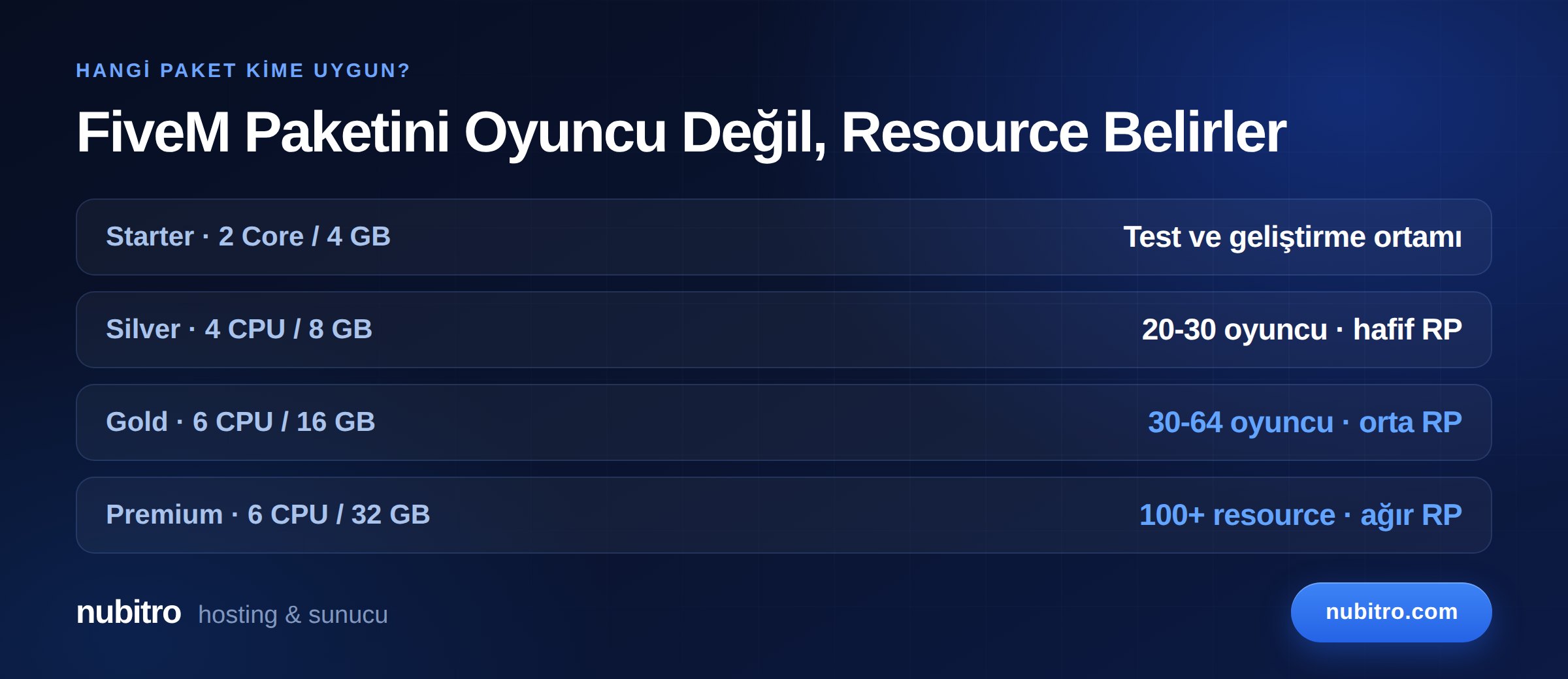
Mapping Nubitro's FiveM plans onto those ranges:
Test and development environments, framework trials, a small group of friends. Not recommended for a live RP server — with an empty server using 2–3 GB, very little room remains for resources.
Light RP servers with 20–30 concurrent players and a measured resource set. A sensible start for new communities; plan an upgrade as you grow.
Mid-sized RP servers with 30–64 players. This is where most serious roleplay communities settle; the extra cores help with entity processing and background tasks.
Heavy resource sets, large custom asset libraries, high concurrency, or setups running several services on one machine (database, bot, second server instance).
All plans come with a Istanbul, Turkey location, NVMe M.2 SSD storage and 1 Gbps unmetered traffic. For current pricing see our FiveM server hosting page.
In FiveM, DDoS is not a question of "if" but "when". The motivation is competitive rather than commercial: in the roleplay scene, knocking a rival offline at prime time is used directly as a way to win players. The attacker is often not a professional but a member of a competing community.
The numbers back this up: gaming absorbs roughly 19% of all DDoS attacks, and 56% of network-layer attacks are UDP floods. FiveM's exposure concentrates exactly where conventional web protection cannot see.
So "how many Gbps" is not enough when comparing plans. The four questions to ask:
And network protection alone is not enough: a significant share of what FiveM owners call "DDoS" is an event or state bag flood triggered from inside by a connected player, which no network filter can see. We covered the full four-layer defence in our FiveM DDoS protection guide, and the differences between protection types in what is a DDoS protected server.
Two routes, and the right answer depends on the size of your community.
The server arrives configured for FiveM, with setup and basic settings done. The right choice for a fast start and for anyone who does not want to deal with system administration. Management overhead is minimal.
You get root access: you decide the operating system, database, firewall, backup scheme and how many services to run. It is the only sensible option when:
In exchange, updates, security and backups become your responsibility. Ask yourself: how many services will you be running a year from now? If the answer is more than one, your own VDS is cheaper from the start. We covered virtualization and resource allocation in our guide on the difference between VDS and VPS.
Question nine matters especially: FiveM servers grow. If upgrades happen in place, growth is painless; if every upgrade means migrating, you will be moving your world data and database each time.
If your player base is in Turkey, hosting in Turkey saves 40–60 ms on every packet compared with overseas. On roleplay servers this is felt directly: vehicle synchronisation, firefights and interactive scenes are highly latency-sensitive.
No script optimisation and no RAM upgrade recovers that gap, because the cause is distance, not software. Serving a domestic audience from abroad hands your competitors a structural advantage.
Once the server is handed over:
sv_endpointPrivacy and the rate limiter settings in server.cfg.If you have not chosen a framework yet, ESX vs QBCore vs Qbox will help; for a build from scratch, follow how to set up a FiveM server.
The monthly sticker price is not the whole cost. Include:
Also watch for heavily discounted first months followed by much higher renewals; compare 12-month totals.
Base the upgrade decision on measurement, not feeling. It is time when these signals accumulate:
Always measure before upgrading: is the problem really capacity, or one heavy resource? Using resmon to see which resource eats tick time can save you an unnecessary plan upgrade.
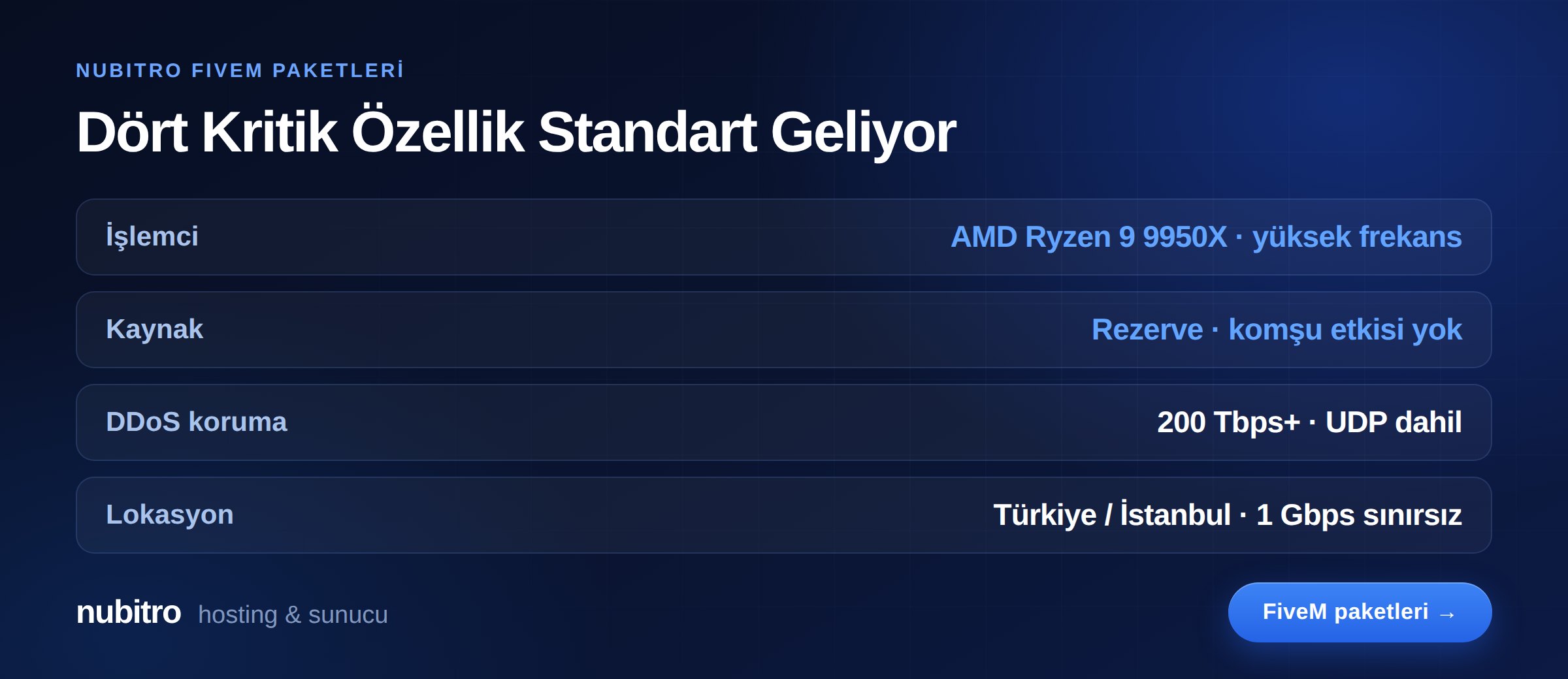
The four critical components named at the start come as standard on Nubitro's FiveM plans:
Plans come in four tiers: Starter (2 cores / 4 GB), Silver (4 CPU / 8 GB), Gold (6 CPU / 16 GB) and Premium (6 CPU / 32 GB), provisioned after ordering.
Review current configurations and pricing on our FiveM server hosting page, or see Ryzen VDS to build your own configuration. For everything else, visit the Nubitro homepage.
It depends on your resource count. With a measured set, 8 GB (Silver) can be enough to start, but in the 30–64 player range with a rich resource set, 12–16 GB (Gold) is safer. Remember the server uses 2–3 GB while empty.
Clock speed. FiveM runs largely on one thread; extra cores help with background tasks and running other services on the same machine.
If your player base is overseas, possibly. If it is in Turkey, no: 40–60 ms of extra latency is felt directly in roleplay and cannot be closed by any optimisation.
Both models exist. What matters is not price but scope: which layer, does it include UDP, does it engage automatically. A paid solution that null-routes is worse than an included one that scrubs.
Run top on Linux and read the %st (steal time) value on the CPU line. Consistently above 10% during busy hours means the physical host is overloaded and your tick time is not under your control.
That depends on the provider — which is why it belongs among the questions to ask before buying. If resources can be increased in place, growth is painless; if migration is required, plan to move your world data and database.
resmon measurements, not intuition. Turkey (Türkçe)
 Worldwide (English)