

A SA-MP server runs on a single UDP port — 7777 by default — and that one port carries both player traffic and server-browser queries, which means your IP is public and an attacker never has to hunt for the target. DDoS protection for SA-MP therefore is not one setting: it is your provider's filtering at the network layer on one side, and the connection limits inside config.json or server.cfg on the other. This guide configures both, using the current documented defaults from open.mp, and explains what to actually check before buying a plan sold as "DDoS protected".
As of 2026 there are two builds in active use, and your options differ depending on which one you run:
0.3.7-R5-2-MP. The original sa-mp.com site shut down in September 2023; the project now lives at sa-mp.mp, maintained by community members together with the open.mp team. Settings live in server.cfg.config.json under nested keys, and it adds network-level validation plus optional packet encryption.If you are still on 0.3.7, migrating is itself a security gain: recent open.mp release notes list sync validation checks that reject spoofed states and MTU values validated against the maximum allowed per client version. Most of the settings below exist on both sides — only the spelling changes.
Three architectural facts do the attacker's work for them:
announce enabled your server appears on the masterlist. That is the only way players find you, and it also means your IP is published.Hiding is not an option in SA-MP. The only levers you have are filtering inbound traffic correctly and tuning the server's own limits.
limits_ban_time setting exist for this category.For the packet-level mechanics behind these, our guide on how UDP floods, SYN floods and amplification work goes deeper.
The network section of the open.mp configuration is your first line of defence against connection abuse. With the documented defaults:
network.messages_limit — default 500: the maximum number of messages a user may send per second. On a small server with lean scripts, lowering this ejects flooding clients earlier.network.acks_limit — default 3000: the acknowledgement packet threshold. Exceeding it prints a console warning — repeated warnings are an attack signal.network.message_hole_limit — default 3000: bounds out-of-order messages. The documentation describes it directly as a mechanism for mitigating denial-of-service attacks.network.limits_ban_time — default 60000 ms: how long a source sending malformed connection packets stays suspended. Worth raising while under attack.network.player_timeout — default 10000 ms: how long a silent player is kept before being dropped. Set too high, half-open connections squat on slots.network.cookie_reseed_time — default 300000 ms: how often the connection cookie seed is refreshed, part of what makes forged connections harder.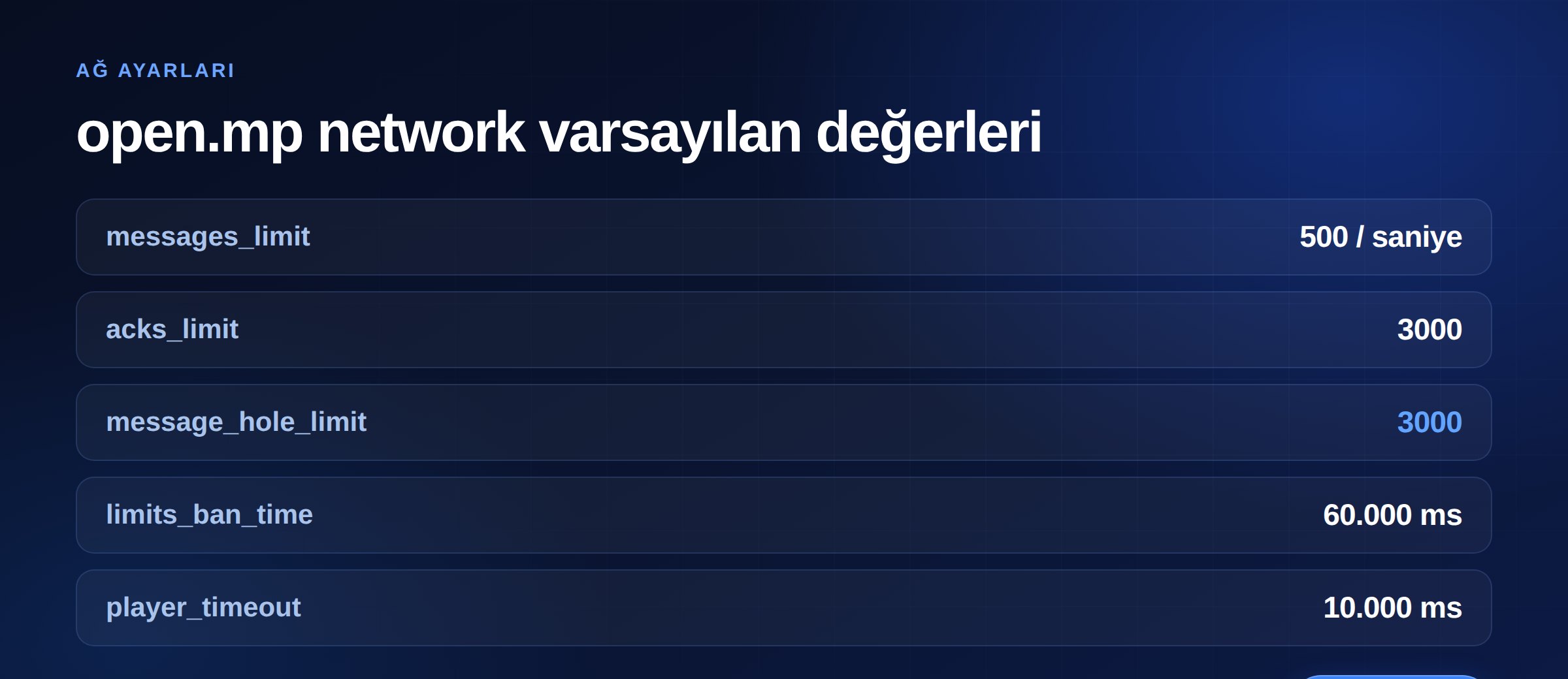
On classic server.cfg the same settings appear as single words: messageslimit, ackslimit, messageholelimit, playertimeout. server.cfg also carries minconnectiontime (default 0), the minimum wait in milliseconds before another incoming connection is accepted — a directly useful anti-flood knob that almost nobody touches.
Port. In open.mp, network.port defaults to 7777. The legacy server.cfg documentation lists 8192 as its default, but in practice essentially every server runs on 7777. Changing the port is not real protection — the masterlist publishes it anyway — though it does shake off naive scanners.
Bind. Left empty, network.bind listens on every interface. If you hold multiple IPs, pinning the server to one makes it far easier to isolate that address during an attack.
Query. enable_query is on by default and is what makes your server visible in the browser. Turning it off does stop a query flood — and simultaneously removes you from the list, so your player inflow stops too. Treat it as an emergency switch, not a fix. The durable answer is a provider that rate-limits query traffic upstream.
Every setting above operates at the application layer — it acts after a packet has already reached your machine. In a volumetric attack the link saturates before packets get that far, and no value of messages_limit changes that.
Getting the scale right matters here. Cloudflare's H1 2026 report counts 23.2 million network-layer DDoS attacks mitigated in six months, about 5,343 per hour. The striking part is the distribution: 96.62% of those attacks stayed under 500 Mbps and 90.60% finished in under 10 minutes.
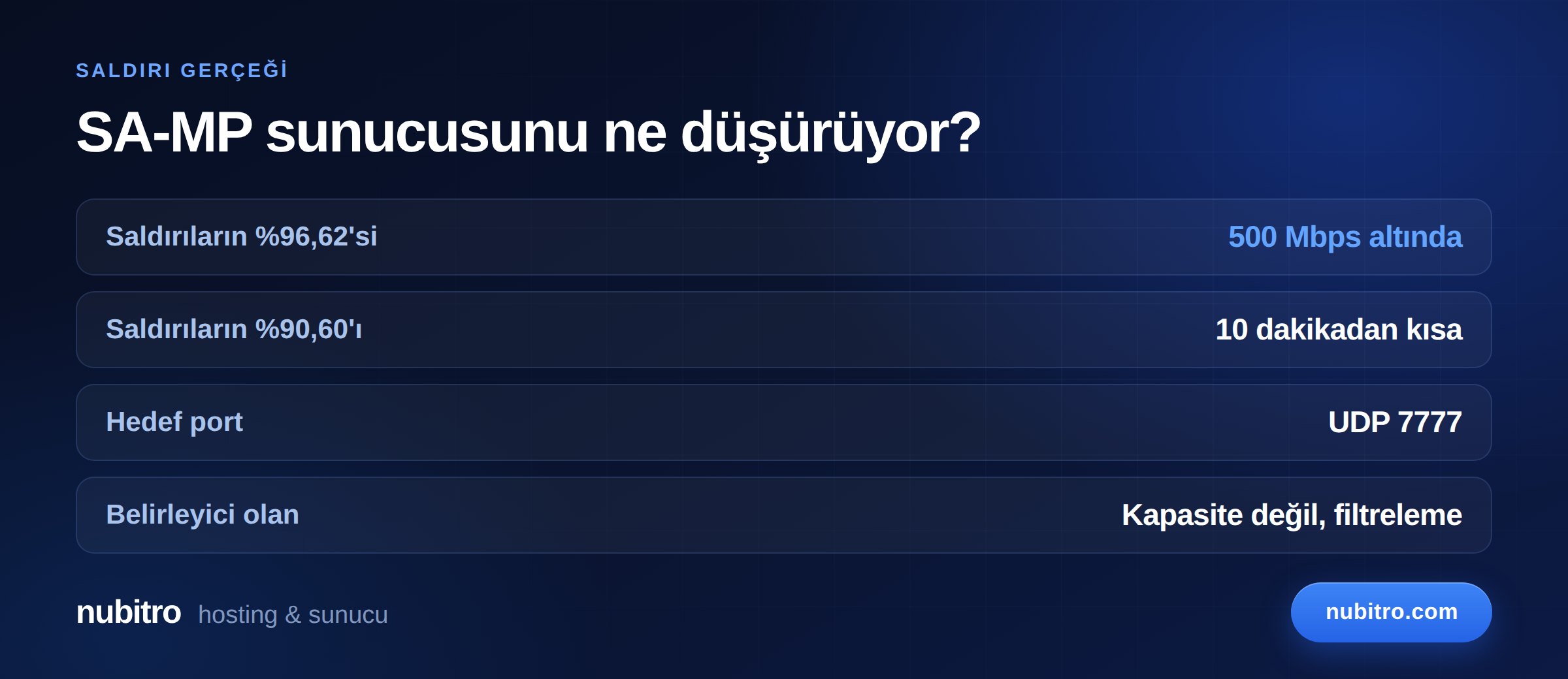
For someone running a SA-MP server, that means the thing that takes you offline is probably not a terabit monster. It is a 250 Mbps UDP flood at 9pm that lasts six minutes. Stopping that depends on filtering that engages in seconds and understands the game protocol — not on a capacity figure. We covered how to read those figures in what DDoS protection capacity in Gbps really means.
iptables/nftables rules, half your defence is missing.While comparing providers, what is a DDoS-protected server clarifies the terminology and is your game server under attack covers the symptoms.
rcon_password ships as changeme, and that is the first string scanners try. If you do not need remote console, set rcon 0.ackslimit or messageslimit warnings are an early attack signal — you do not need a graph to see it.SA-MP will run on a shared panel, but half of this guide becomes unavailable there: no firewall rules, no closing ports, no rate limits of your own. And an attack on a neighbouring server on the same machine hits you too.
On your own VDS both config.json and the network layer are yours. Nubitro's Turkey-located VDS plans ship with 10 Gbps unmetered traffic and always-on DDoS filtering, and you pick the operating system, extra disk and protection tier at checkout. Browse the plans on the VDS/VPS page, or look at ready-made game plans on the MTA server plans page. Still sizing things up? Our VDS buying guide explains what each resource actually does.
UDP 7777 by default, carrying both player traffic and server-browser queries. The setting is network.port in open.mp and port in classic SA-MP.
It stops a query flood, but it also removes your server from the browser list at the same moment. It is an emergency switch, not a solution.
Partly. Your own iptables rules handle connection floods and casual scanning, but a volumetric attack saturates the link before packets reach you. That layer belongs to your provider.
Yes. Release notes list sync validation that rejects spoofed states, MTU validation per client version, and fixes for long-standing RakNet crashes. Because it is backwards compatible with SA-MP clients, your players do not have to change anything.
Mass disconnects, disappearing from the server list, and repeated ackslimit or messageslimit warnings in the console appearing together are a reliable signal.
SA-MP is light. Most 50–100 slot roleplay servers run comfortably on 2–4 GB. Single-core performance and script load decide your ceiling, not RAM.
0.3.7-R5-2-MP; sa-mp.com closed in September 2023 and the project continues at sa-mp.mp, with open.mp as the actively developed alternative.messages_limit (500), acks_limit (3000), message_hole_limit (3000), limits_ban_time (60000 ms) and minconnectiontime.enable_query stops a query flood but delists your server — it is not a fix.rcon_password ships as changeme — change it on day one or turn RCON off entirely. Turkey (Türkçe)
 Worldwide (English)